- 작성일
- 2025.06.17
- 수정일
- 2025.06.17
- 작성자
- 정보혁신본부
- 조회수
- 2979
How to turn off Chrome Web browser [Save Password] functionality (English)
How to turn off the Edge Web browser [Save Password] feature (English)
※ This manual is based on the latest version, and the location of the menu may vary by detailed version
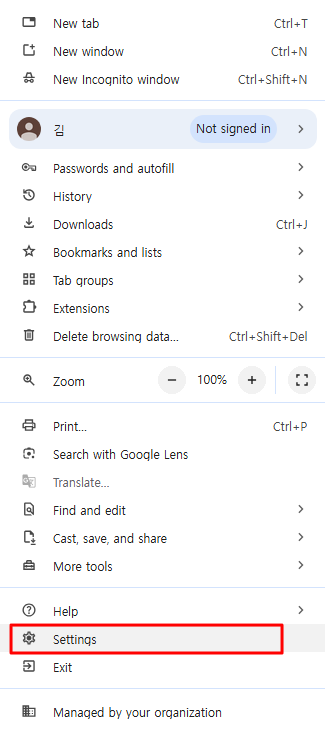
1. Top right [More] icon > [Settings]
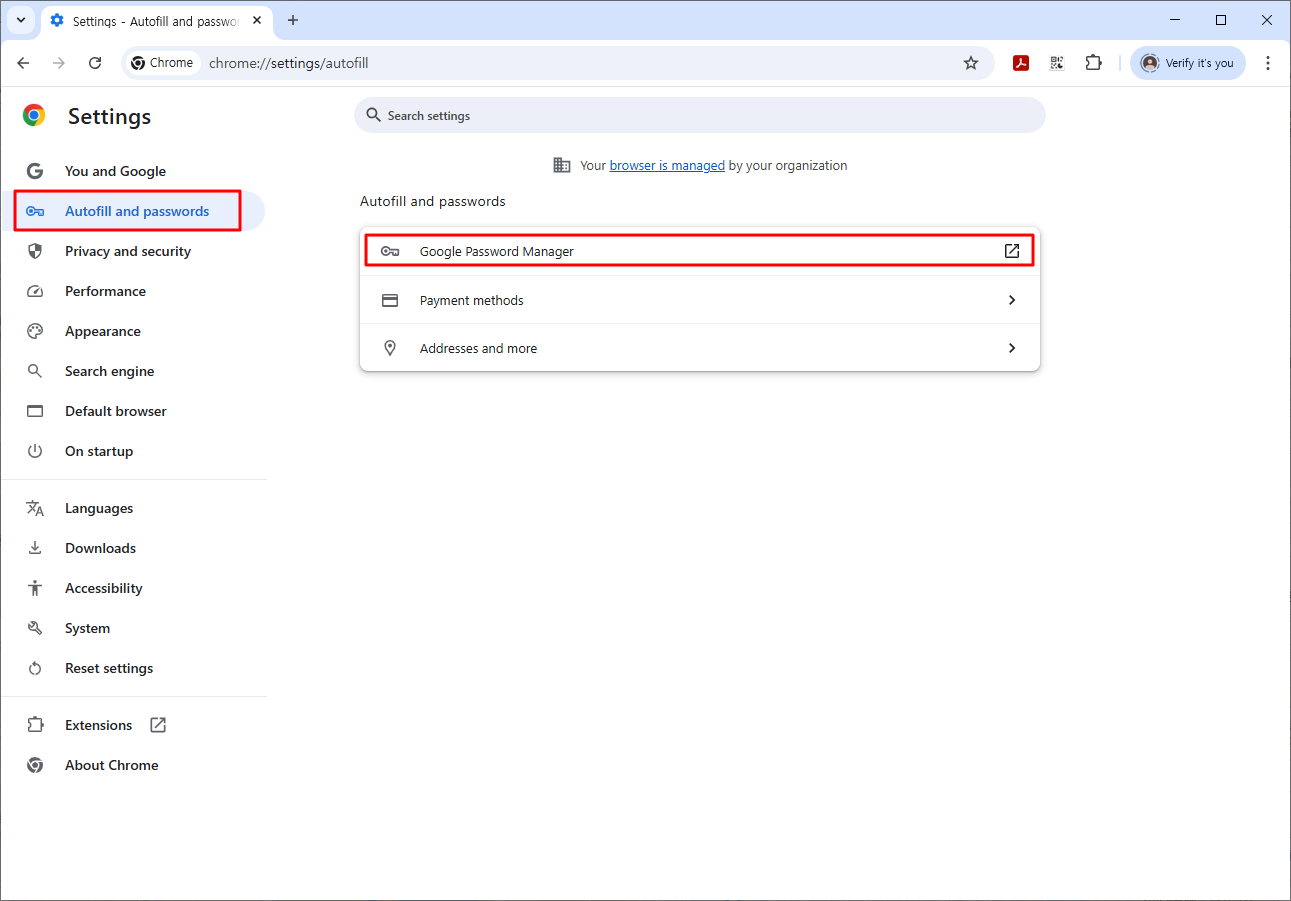
2. [Autofill and passwords] > [Google Password Manager]
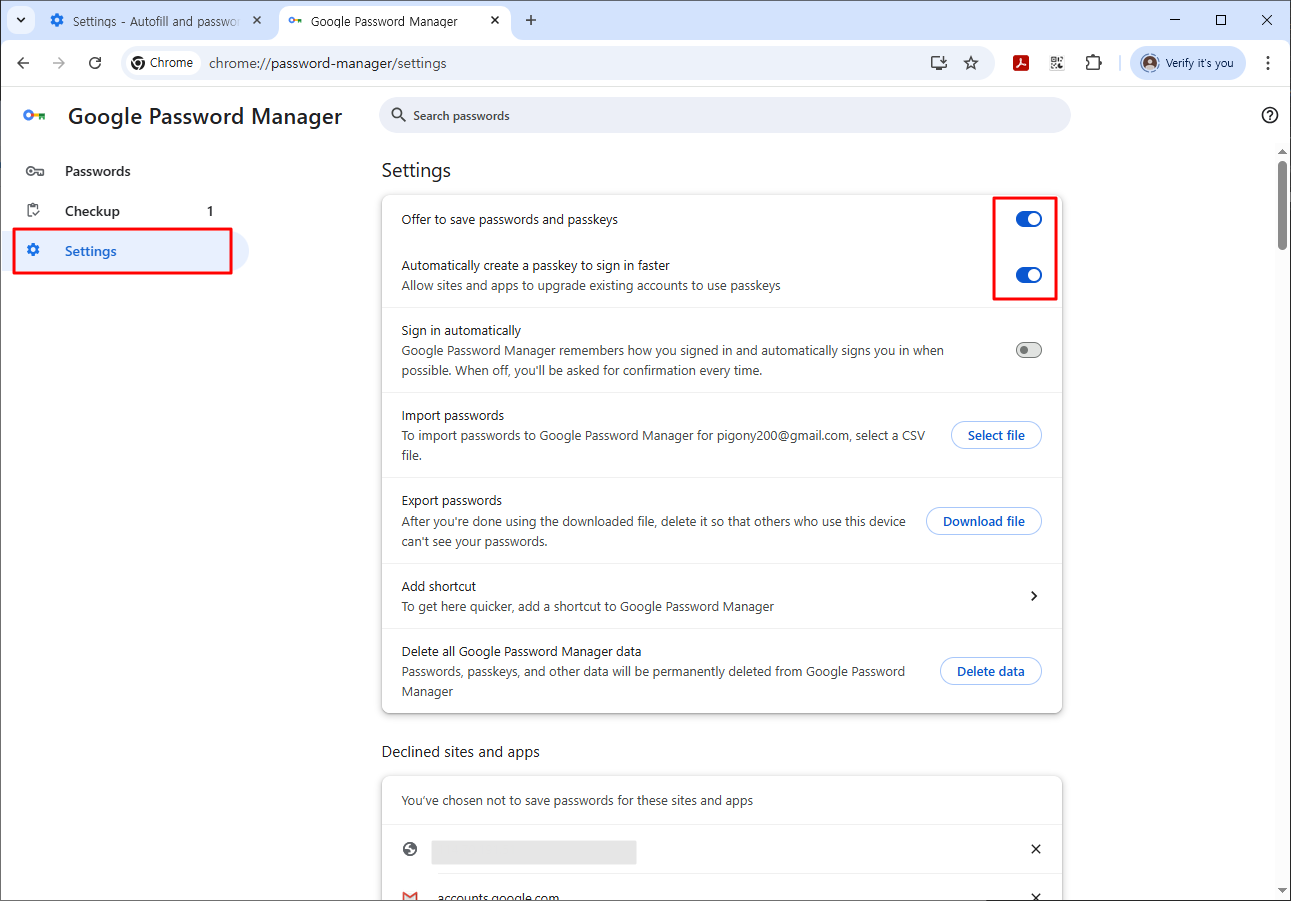
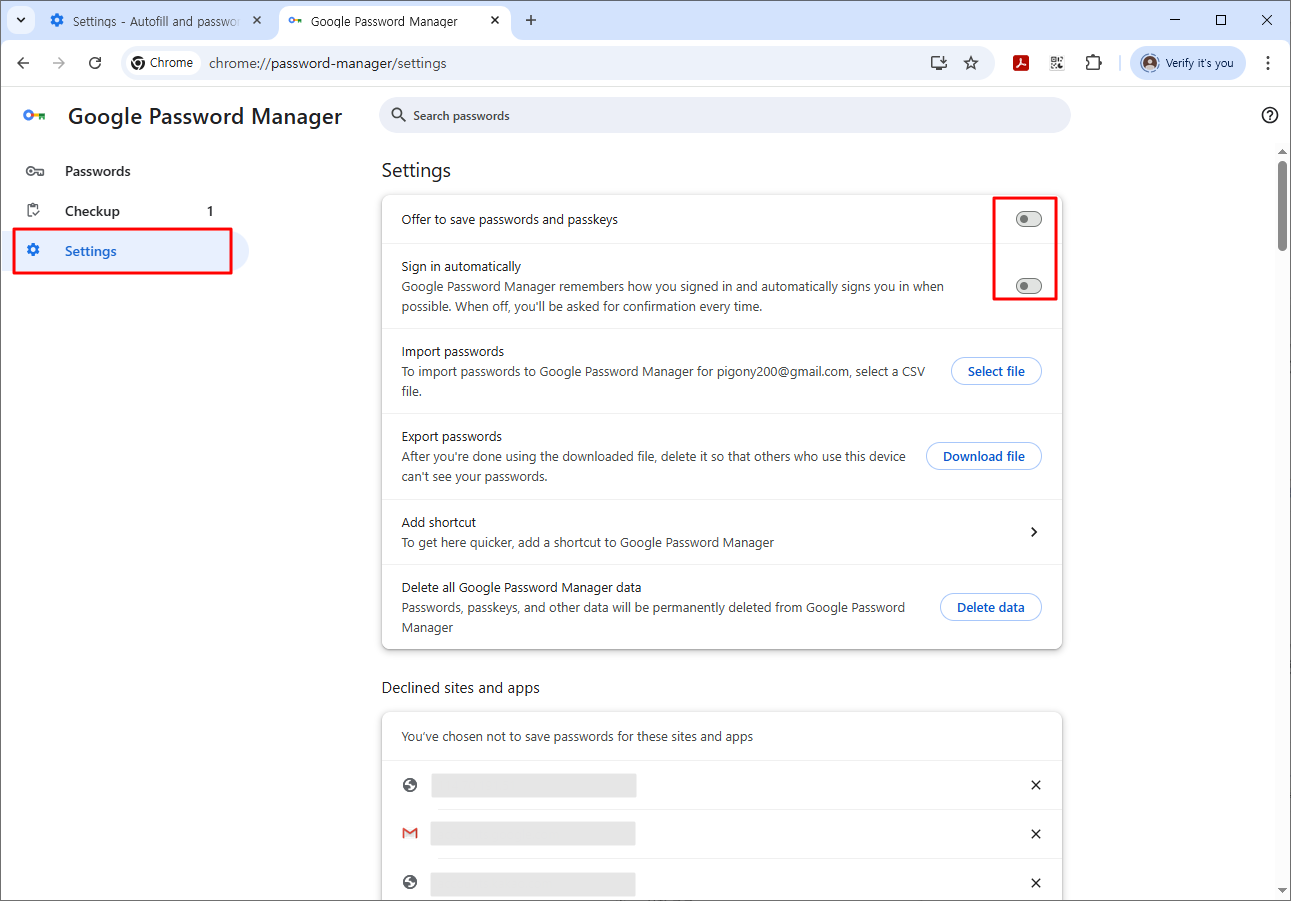
3. [Settings] > [Offer to save passwords and passkeys/Automatically create a passkey to sign in faster] > [disable]
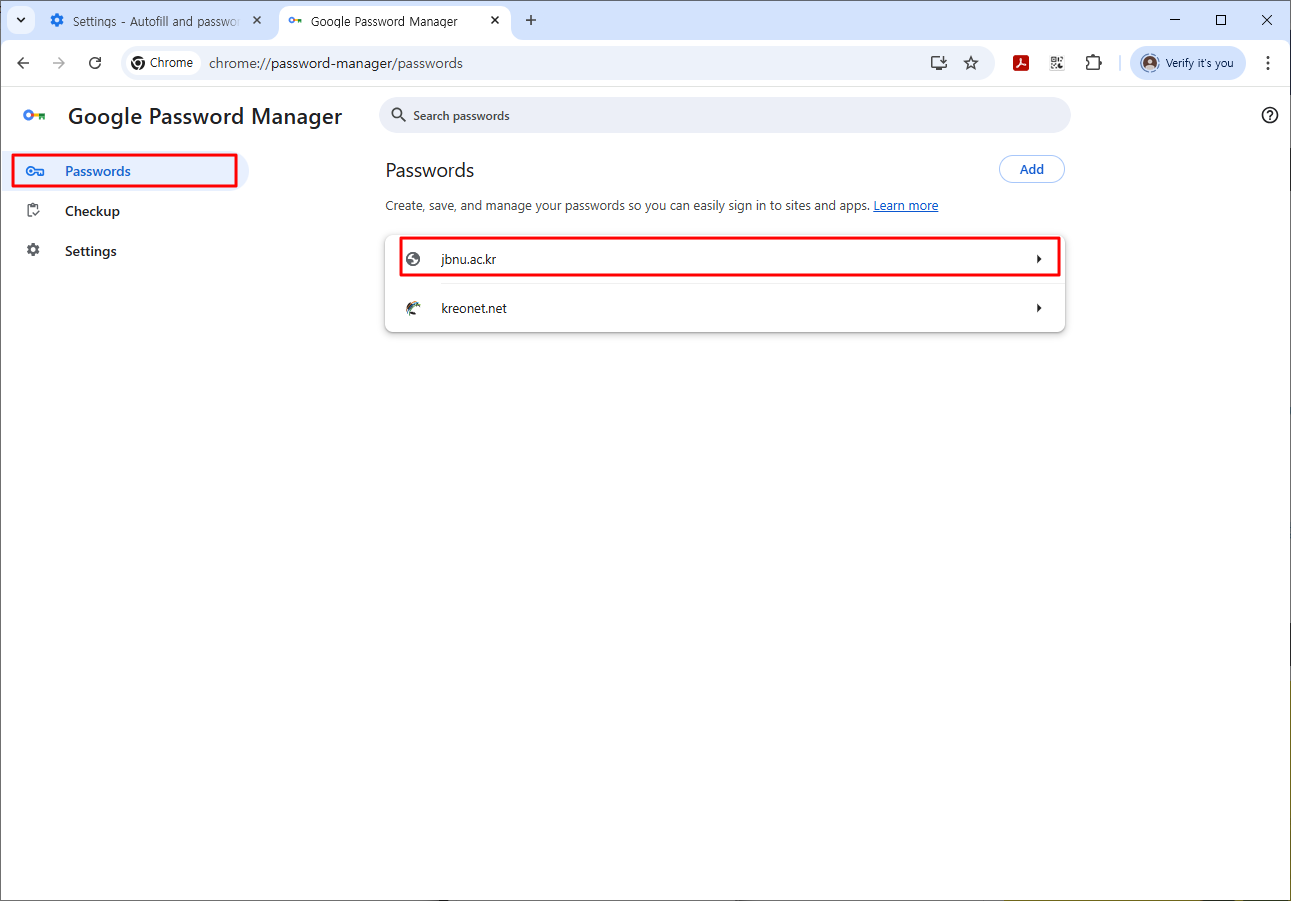
4. [Passwords] > [jbnu.ac.kr]
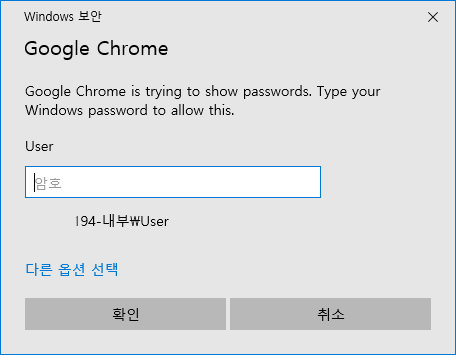
5. [Enter your Windows password]
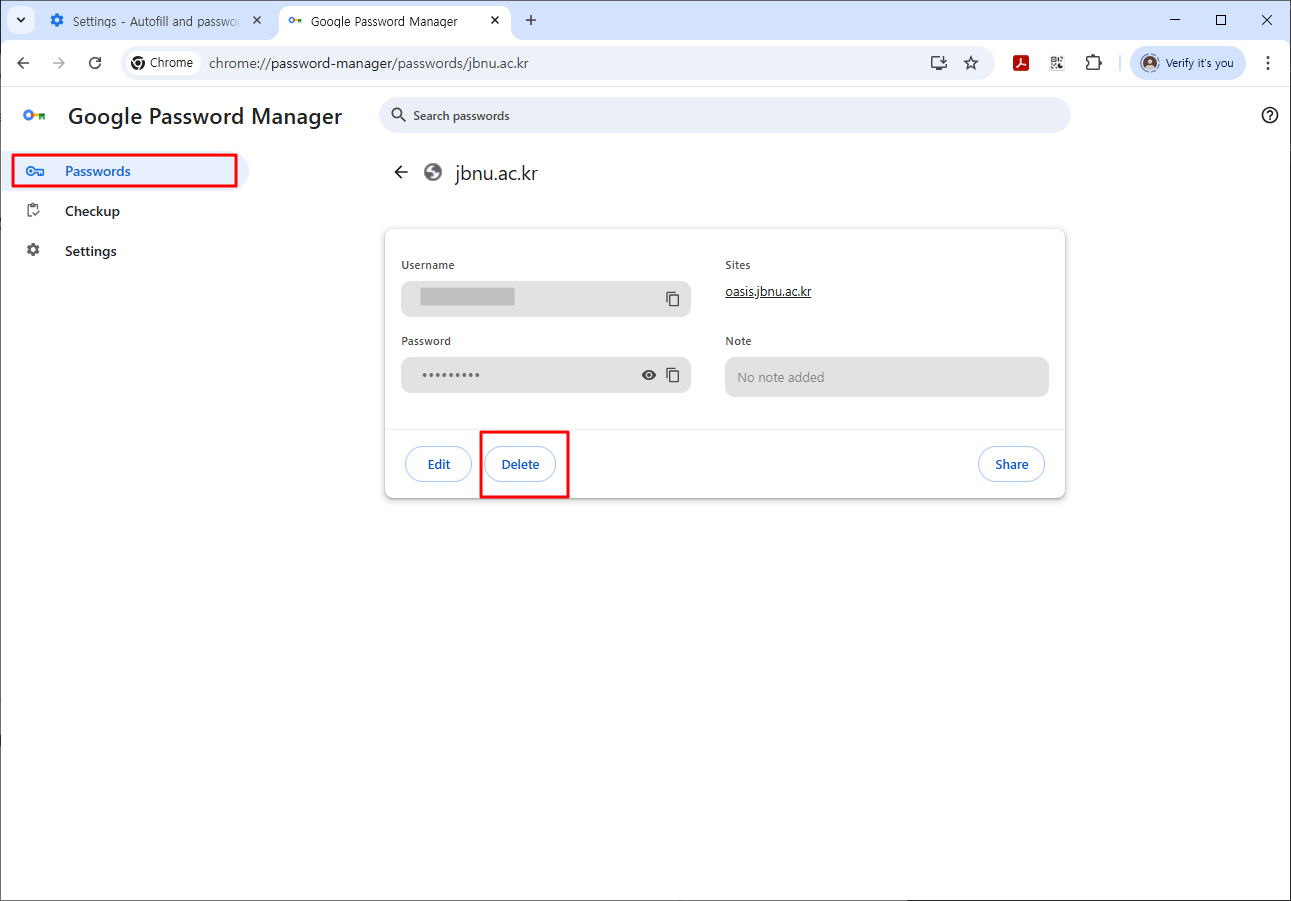
6. [jbnu.ac.kr] > [Delete]
- 첨부파일
- 첨부파일이(가) 없습니다.